
preview
Display strings without quotes and scroll through their contents.
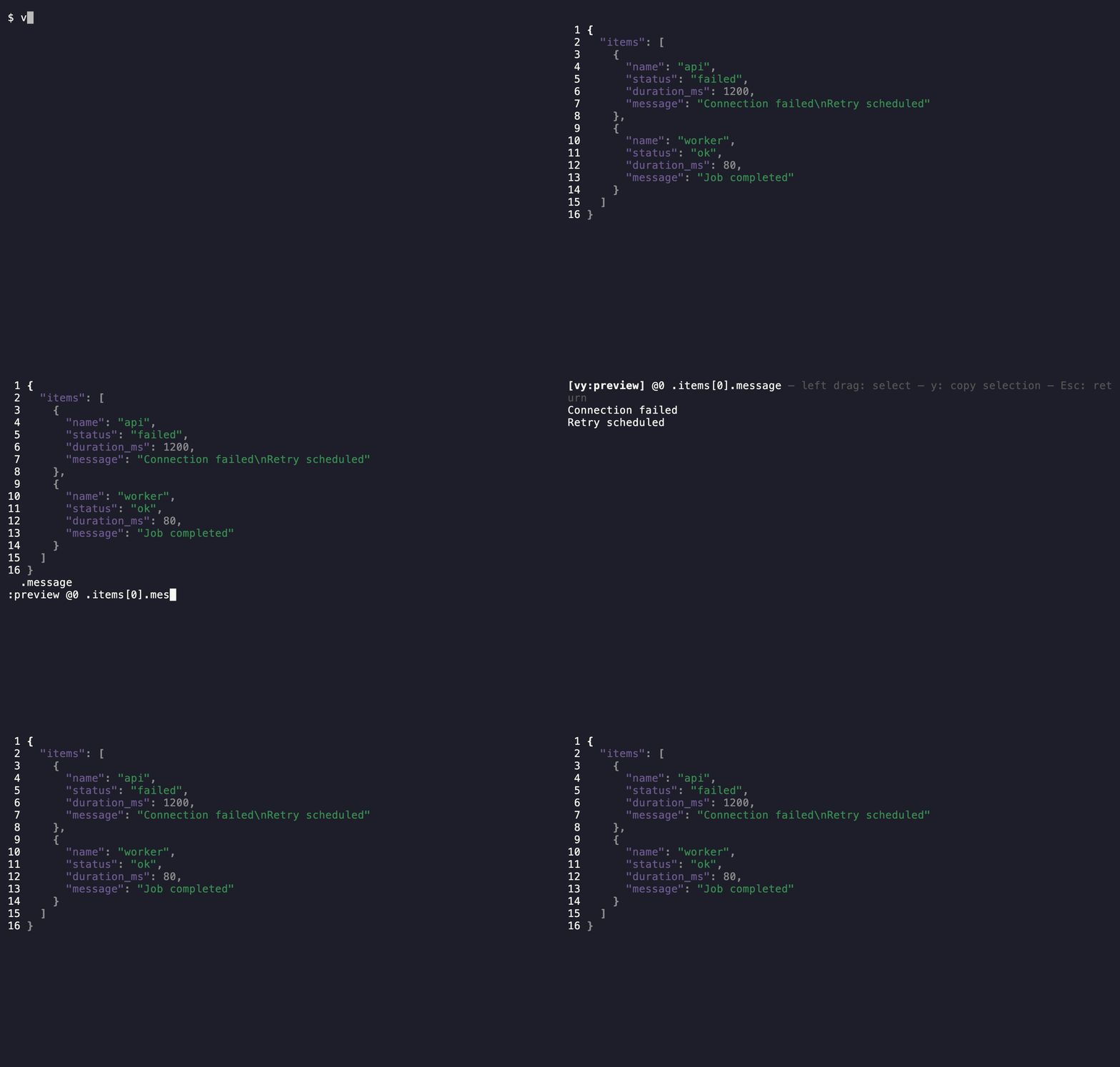
Open a string
Section titled “Open a string”Select a string node and run :preview. You can also specify the target by path.
:preview @0 .items[0].messageStrings are displayed without quotes, with decoded line breaks and blank lines. This also applies to YAML block strings. Embedded JSON is displayed as text. Non-string values produce an error.
Long lines wrap to the screen width. Scroll with j / k, the arrow keys, page navigation, or the mouse wheel, and use g / G to move to the beginning or end.
Drag with the left mouse button to select a range, then press y to copy it. The selection persists after scrolling; click the text to clear it. Copied text excludes line breaks introduced by screen wrapping.
For display, tabs become spaces up to four-column tab stops, CRLF becomes a line break, and other control characters use escape notation. These conversions also apply when copying a selection. The original data is unchanged.
Press Esc to return to the original view. The preview supports browsing and copying selections only.
See copy, print, and write for other ways to extract values.